MagniLink TABViewer
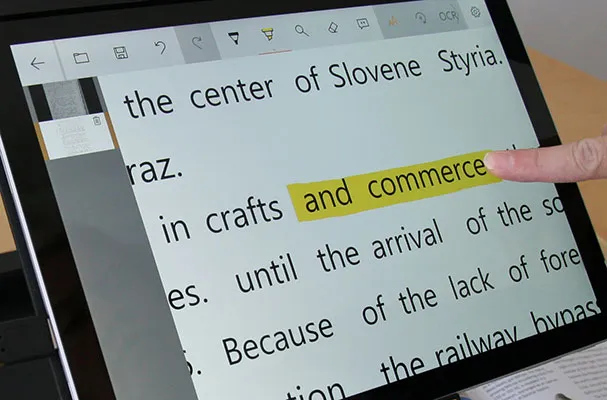
MagniLink TABViewer, innovative PC software for MagniLink TAB and MagniLink Mini with support for optional AI
MagniLink TABViewer is an innovative software used in the video magnifier MagniLink TAB and when the video magnifier MagniLink Mini is used together with a Windows-based PC.
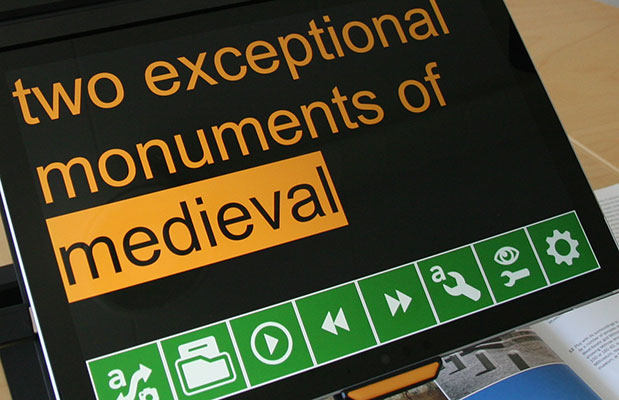
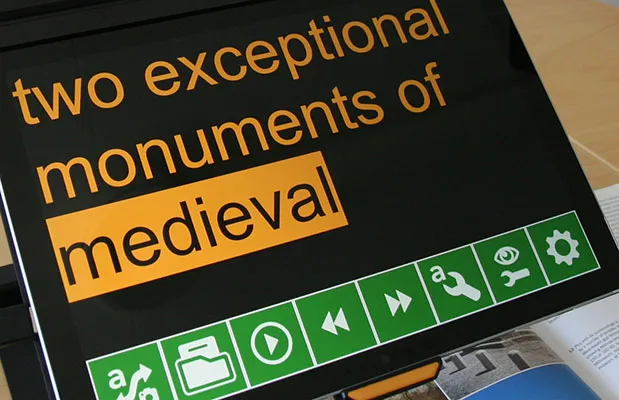
The software is used to display images from a MagniLink video magnifier system. The software controls the video magnifier’s features, such as magnification, artificial colours and brightness, and provides the user with the facility to make individual adjustments for the best possible experience.
Questions or order?
Functionality of MagniLink TABViewer:
- Different colour and brightness settings, e.g. natural and artificial colours.
- Different levels of magnification.
- Lockable autofocus.
- Take and view pictures.
- Record and view videos.
- Mirror, rotate and freeze pictures.
- Possible to change and adapt the product even more in EUC tab (End User Configuration).
- Different ways to control functions. Either via menus, gestures or keyboard shortcuts.
- Configuration of own shortcuts.
- Select and switch between several views.
- Compatible with the ZoomText and SuperNova programs.
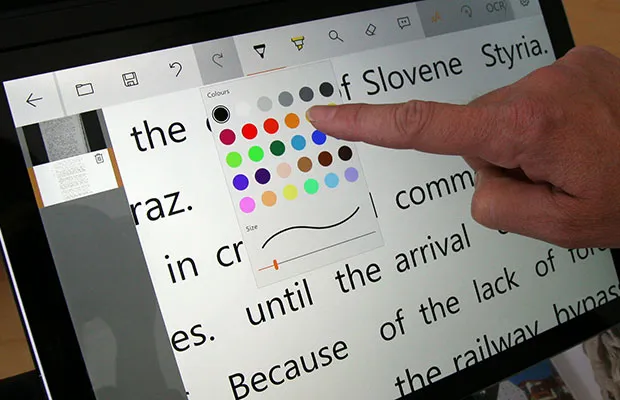
- Notepad where you can draw, write, enlarge and pan in the image.
- Possibility to activate the optional AI license.
- Possibility to activate the optional OCR Premium*
*The Premium OCR includes automatic language detection, improved accuracy in character recognition, particularly for small size fonts, and supports more layout variations compared to previous OCR versions.
Fantastic notepad
The useful notepad provides possibility to draw, write, enlarge and pan in the image. You can easily choose to navigate between different images and there are several different functions for inserting text, drawing and writing with a ”regular” pen or highlighter in different colors and sizes. You can also save and open the image with your notes. The tool is, for example, excellent for marking in texts or filling in forms or exams that then easily can be saved or forwarded.
AI unlocks a new dimension of possibilities
AI is offered as an option to the MagniLink TABViewer and makes our powerful visual aids even better. For example, you can place a newspaper article under the reading camera and have it summarized or translated into another language just by typing or saying a command. It is also possible to ask general questions about the content, or basically anything and get answers immediately.
Another example is asking to have an OCR number or an amount to be paid on a paper invoice, identified and read aloud. Or why not ask who the sender is. AI can also be used to read handwriting, or for image interpretation. This makes it easier, for example, to interpret math problems that contain graphs and diagrams. All this enables lots of possibilities and what was previously difficult has now become easy.
Contact us if you would like more information or wish to order a license. There is also a 15-day evaluation license available for those who want to test the new features. Please note that the AI features require an internet connection. Read more about AI here.
Text to Speech (TTS) software
The MagniLink TABViewer include Text-to-Speech (TTS), which converts printed text into speech. This feature enhances reading comprehension and retention by allowing you to listen to the text while reading. You can choose how the text is presented: “page mode,” “line mode,” “word mode,” “image mode,” “image and word,” and "image and line." You can easily follow the text on the screen while listening. The software detects the language used in the text and adapts the voice according to the language. Additionally, the text can be saved and opened in an editing program for proofreading or further processing.
For the video magnifier MagniLink TAB the MagniLink TABViewer software is used. See the MagniLink TAB user manual under the Documentation tab.
When using the video magnifier MagniLink Mini together with a Windows-based PC, the MagniLink TABViewer software is used. See the MagniLink Mini – PC user manual under the Documentation tab.
If you are looking for documents in other languages, please contact us.
Download the latest version of MagniLink TABViewer here.
March 31, 2026 – Version 3.0.2.0 is released, with the following bug fixes:
- Fixed an issue in AI requests that could cause the AI to return a Bad Request error
- Fixed an issue that could cause you to end up on the wrong page in the settings when AI was not enabled.
March 09, 2026 – Version 3.0.0 is released, with the following new features:
- AI functionality (add-on)
- Premium OCR (add-on)*
- Advanced Zoom (offering digital pan and zoom)
- Electronic Image Stabilization (EIS)
- Side menu in the OCR mode (for easier navigation between pages)
- Possibility to split image between the distance camera and the built in cameras
- Possibility to adjust spacing between letters, words and sentences in the OCR-processed text
- Overlays in the OCR mode
- Compatibility with SAPI voices
- Various improvements and bug fixes.
*The Premium OCR includes automatic language detection, improved accuracy in character recognition, particularly for small size fonts, and supports more layout variations compared to previous OCR versions.
January 7, 2026 – version 2.2.10.0 of MagniLink TABViewer is available, now with a renewed publisher certificate.
May 7, 2025 we launch the new version 2.2.9.0 of the software, which from now on is called MagniLink TABViewer.
The new version includes some bug fixes and adaptations to new Microsoft Surface tablets.
For the video magnifier MagniLink TAB the MagniLink TABViewer software is used. See the MagniLink TAB user manual under the Documentation tab.
When using the video magnifier MagniLink Mini together with a Windows-based PC, the MagniLink TABViewer software is used. See the MagniLink Mini – PC user manual under the Documentation tab.
If you are looking for documents in other languages, please contact us.